Saturday, October 24, 2026
  • QUEBEC-SXS.CA

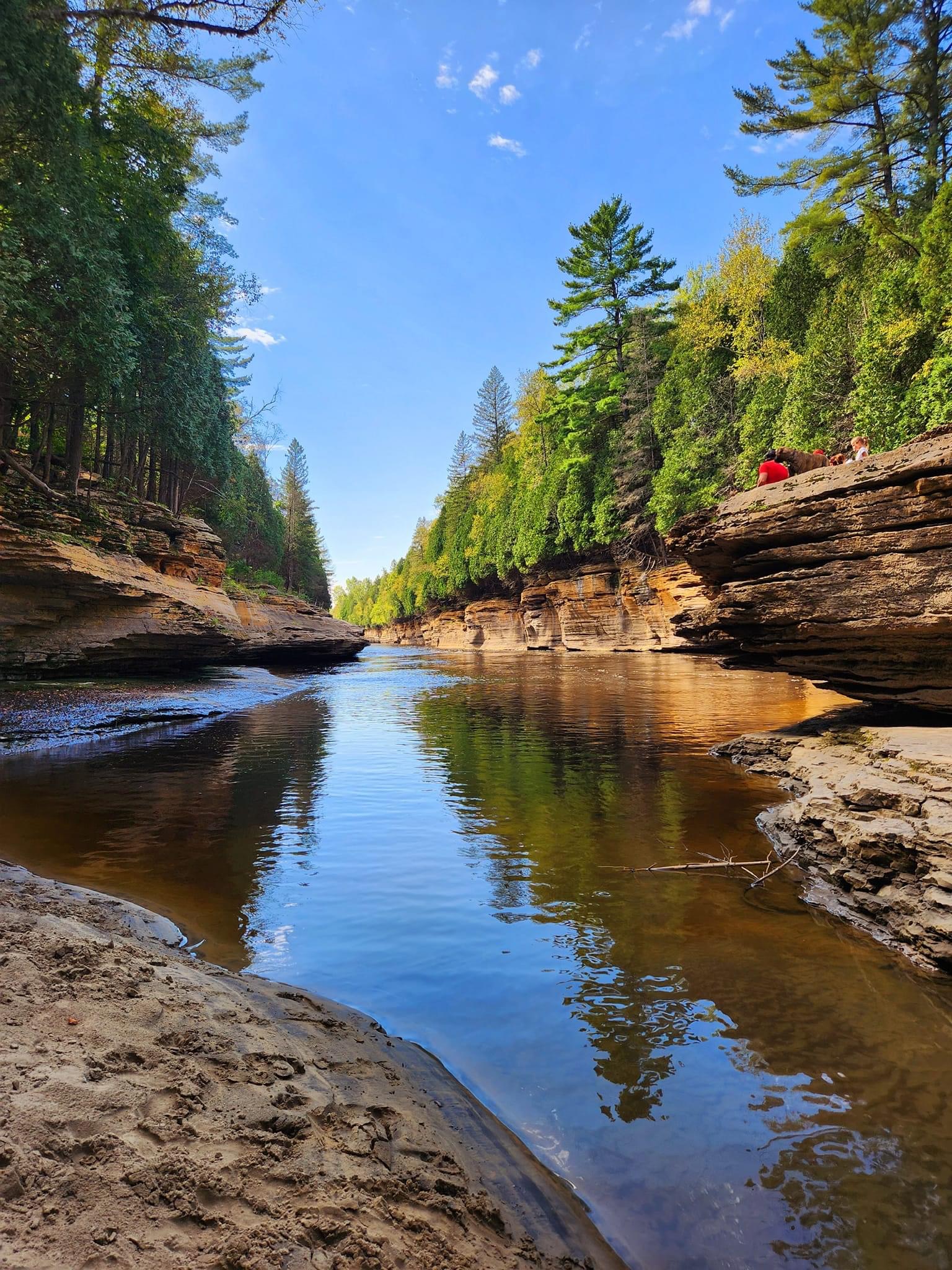
    Les sentiers au Québec regorgent de merveilleux paysage et de magnifiques vue sur nos grandioses paysages québécois. Par contre planifier un itinéraire de randonné sur nos circuits en VTT ou Côte à Côte s’avère des fois un peu fastidieux.¸ Il existe plusieurs site ou vous pouvez trouver des idées de randonnées mais cela consomme beaucoup de temps de recherche. Le site Quebec-SxS.ca se veut être une source d’information rapide et complète sur des idées d’itinéraires qui se peut être modifiables à vos besoins. Read More +
  • IQUAD

    iQuad / Pro pour téléphone mobile (iPhone et Android) et iQuad HD pour tablette mobile (iPad et tablette Android) sont des applications cartographiques dédiées aux quadistes membres de la FQCQ! Grâce à iQuad / Pro, vous aurez accès à une carte interactive regroupant l’intégralité des sentiers fédérés, en plus des nombreux partenaires de la FQCQ. Qu’il soit question de concessionnaires, d’hébergements ou de restaurants, iQuad / Pro vous guidera lors de vos expéditions de Quad. Read More +
  • Les Dangers dans les sentiers

    La conduite dans les sentiers demande une attention soutenus de la part du conducteur car nous sommes sur le territoire de nos amis les animaux sauvages. Soyez prudents ! Read More +
> <
  • 1
  • 2
  • 3

Les Plus Populaires ENTETE

  • Camping en VHR

    Du plaisir en nature
    Read More +
  • La Sécurité

    Chacun son rôle
  • Chaine YouTube

    Du plaisir a visionner
    Read More +
  • RokGallery

    Advanced Gallery Extension
    Read More +
  • Des Idées de trajet

    des itineraire Read More +
  • 1
  • All
  • Computers
  • Entretien
  • Games
  • Itineraire
  • Movies
  • Music
  • Overlanding
  • Securite
  • Default
  • Title
  • Date
  • Random
load more hold SHIFT key to load all load all

Popular Features TEST ERF

  • L'aventure !
  • Menu Systems
  • Integrated Extensions

Une aventure entre amis ! que de plaisirs Parcourir des kilometres de sentiers , .

Les requis pour une balade

Ce que nous devons apporter lors de nos balades cela dépends de la durée et du trajet .


Avez-vous votre carte de sentiers

An accordion / vertical list layout, to display text and/or thumbs.


Respecter les zones de stationnement permis

A ticker layout, for displaying headlines or text snippets.


Un itinéraire

Bien planifié sa randonnée permet de s'assurer

 
Image

With RokNavMenu, our custom menu framework extension, the template provides two specific menu options, Fusion and SplitMenu. Both are configurable in the template manager, and also individually for each menu item.

image

Fusion with MegaMenu

Fusion is a powerful, Mootools enhanced, CSS dropdown menu. It has support for multiple columns of varying widths, inline icons and modules/positions, distribution control, animation control plus many other features.

image

SplitMenu

SplitMenu is static, multi-tiered menu option. Parent items, and 1st level children appear horizontally in the menu bar, and all subsequent children in the sidebar.

image

RokAjaxSearch

A ajax enhanced search module. It has support for Joomla search, as well as Google Web, Images, Videos and Blog search, amongst other configuration options.

image

RokNavMenu

A powerful menu extension that sits at the core of Voxel's Fusion Menu and Splitmenu navigation systems. It allows for menu specific params, which provides unprecedented menu control.

Image

Voxel has integrated styling for a number of RocketTheme extensions, including RokSprocket, in all its layout modes. These are template-based styles to visually incorporate the addons.

Demo Articles

Une randonnée bien préparée

Un site d 'information
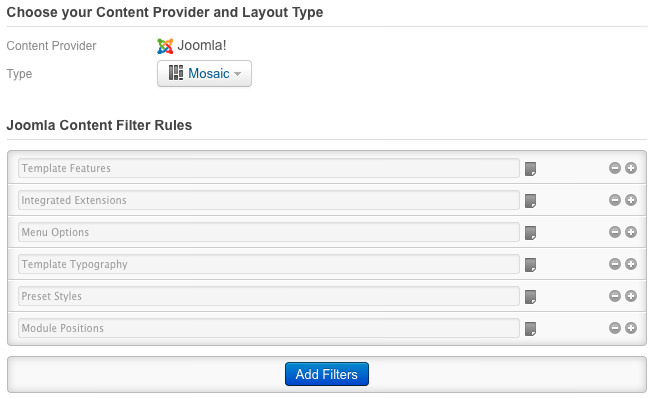
RokSprocket Layout TESTvERF, Mosaic


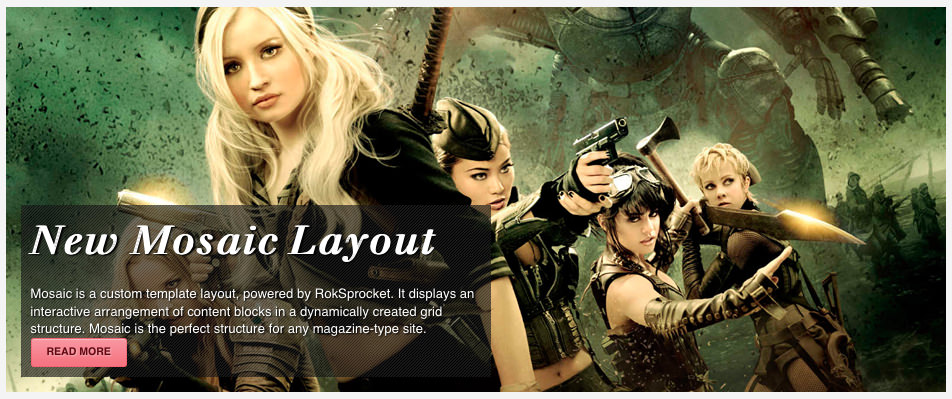
Quebec-SXS.ca is a custom template layout, powered by RokSprocket. It displays an interactive arrangement of content blocks in a dynamically created grid structure. Mosaic is the perfect structure for any magazine-type site.
image

image


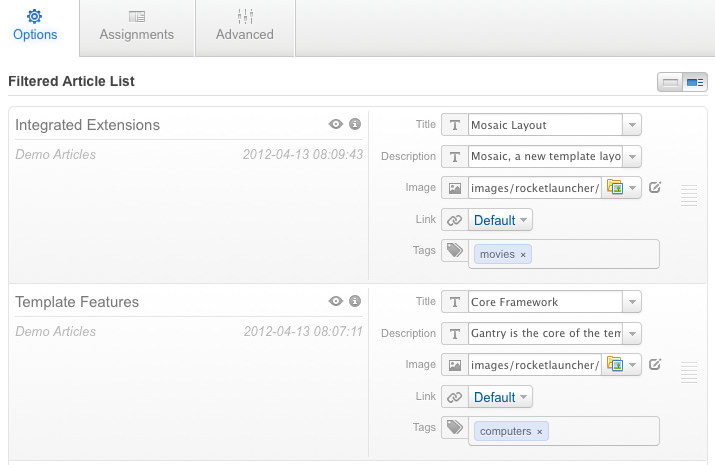
Tagging with icons is supported for: computers, movies, fashion, architecture, games, music, sports, or create your own!

For extensive tutorials how to configure RokSprocket Mosaic Layout, please visit this guide in Voxel forum.
image

image

image


A Revolutionary Content Module
with Multiple Layout Options


Tabs Layout

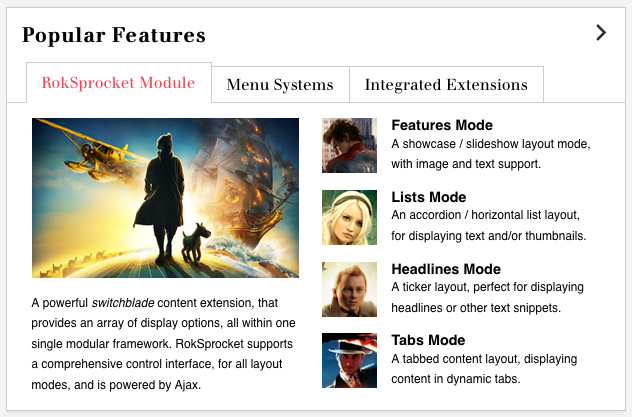
A tabbed content layout, displaying content in dynamic tabs.
image

List Layout

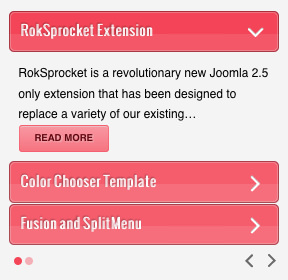
An accordion / horizontal list layout, for displaying text and/or thumbnails.
image

Features Layout

A showcase / slideshow layout mode, with image and text support.
image

Headlines Layout

A ticker layout, perfect for displaying headlines or other text snippets.

image

image

1 Provider & Type

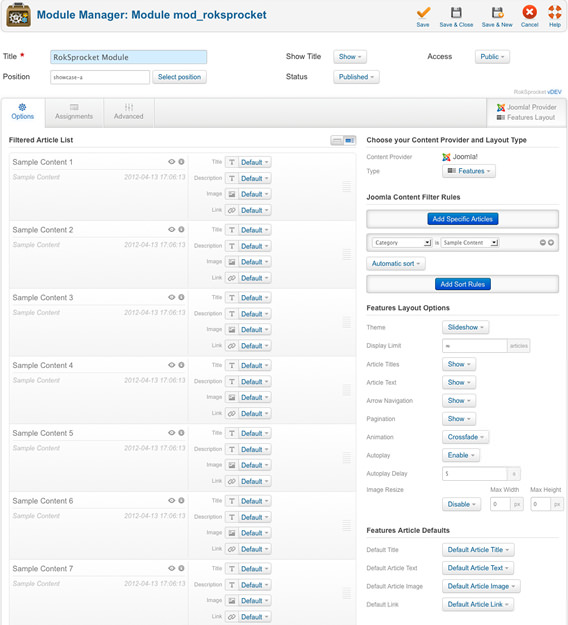
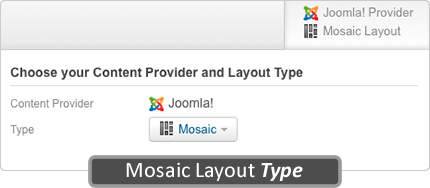
Pick a Content Provider from the list of installed and available CCK Extensions and pick the Layout type

2 Content Filters

Use Content Filters to select articles and configure the sort rules to change the order they display in

3 Layout Options

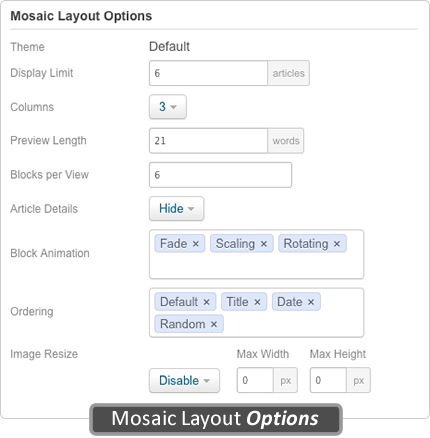
Each layout type has a specific set of options that are used to configure the RokSprocket module

RokSprocket supports a comprehensive control interface, for all layout modes, and is powered by Ajax.
 

Installation Instructions

The following is a guide that covers how to set up your new Voxel template on your Joomla! site. Here you can find an overview of the files included in the Voxel release and instructions on installing and activating the template in your Joomla! install.

Note: The Bundle Template is only necessary if the Gantry Library is not installed at /libraries/gantry directory.


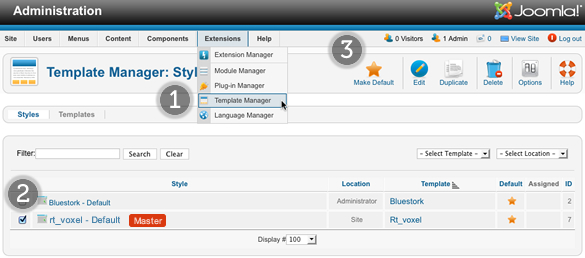
Step 1 - Installation

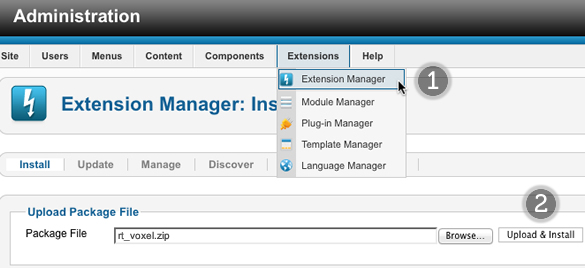
  1. Install from Admin → Extensions → Extensions Manager
  2. Browse for rt_voxel.zip and click Upload & Install

Image

Step 2 - Template Default

  1. Make the template default at Admin → Extensions → Template Manager
  2. Select rt_voxel
  3. Press Make Default

Image

RocketLauncher Instructions

We always recommend installing a RocketLauncher first to trial and understand the template more effectively. It must be installed as new, and not over an existing Joomla install.

Step 1 - Upload

  • Download the RocketLauncher
  • Unzip the file
  • Upload the created folder to your server

Note: You can upload all the files via FTP, or use cPanel or SSH to upload the zip and unzip directly onto the server. Enquire with your hosting provider.

Step 2 - Installation

  • Go to www.yoursite.com/*folder name*
  • Follow the Installation instructions
  • Ensure you click Install Sample Data during installation
  • Remove the installation folder in the Installation interface

Test arti demo preset

Style Setting


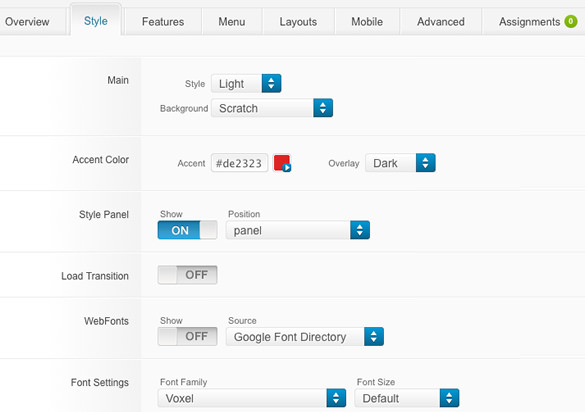
The Style Settings panel in the Gantry based theme administration interface provides several options for configuring the main built in stylistic aspects of the template.

Style

Assigning a Style to a Specific Page


With Gantry, the ability to assign a certain style to an individual page has never been easier and/or more efficient. Just follow these simple steps:

  • Go to Extensions → Template Manager → rt_voxel → Assignments → *Menu Item*
  • Select your preset from Show Presets, configure and save.

Gantry Framework: Per Menu Item Controls

About Joomla!

What is Joomla?

Joomla is an award-winning content management system (CMS), which enables you to build Web sites and powerful online applications. Many aspects, including its ease-of-use and extensibility, have made Joomla the most popular Web site software available. Best of all, Joomla is an open source solution that is freely available to everyone.

What Joomla! can do?

Joomla is used all over the world to power Web sites of all shapes and sizes. For example:

  • Corporate Web sites or portals
  • Corporate intranets and extranets
  • Online magazines, newspapers, and publications
  • E-commerce and online reservations
  • Government applications
  • Small business Web sites
  • Non-profit and organizational Web sites
  • Community-based portals
  • School and church Web sites
  • Personal or family homepages

Site and Administrator

Your site actually has two separate sites. The site (also called the front end) is what visitors to your site will see. The administrator (also called the back end) is only used by people managing your site. You can access the administrator by clicking the "Site Administrator" link on the "This Site" menu or by adding /administrator to the end of you domain name.

Log in to the administrator using the username and password created during the installation of Joomla.

Learn More

There is much more to learn about how to use Joomla! to create the web site you envision. You can learn much more at the Joomla! documentation site and on the Joomla! forums.

Visit Joomla!

RokBox Video

Template Tutorials

image

Learn how to install the template, extensions and RocketLauncher, with this demo's Installation tutorial.

image

Explore even more with a range of template specific Forum-based Tutorials, such as mobile setup.